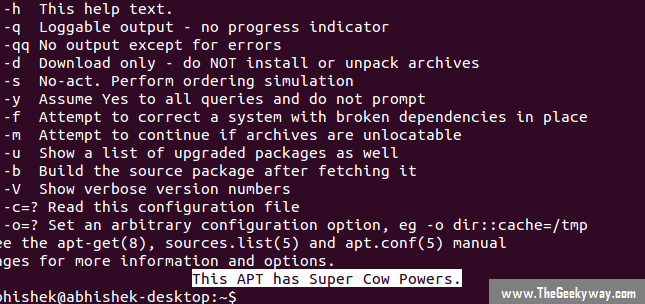
Learn To Manage Packages Using APT-GET & APT-CACHE Commands In Ubuntu/Debian. Part-3

Posted on Tue 11 March 2014 in Linux • Tagged with APT, Linux, Ubuntu

This is last & final chapter of this tutorial. Before proceeding further, I would like to link first two parts here just incase you haven't checked it out.

(PART-1  &  PART-2)

Continuing from Part-2,

19) Checking The Stats Of Cache Using APT-CACHE :

This command will display all the statistics of the cache …


Continue reading

Convert GIMP Into Photoshop Like UI

Posted on Mon 10 March 2014 in How To DIY, Linux • Tagged with GIMP, Photoshop, Tweaks

An artist in Deviantart with profile name 'doctormo' published an awesome tweak which let's you to change the user-interface of the GIMP something similar to world popular image editing software Photoshop. This tweak currently works on GIMP 2.8 .It does works for GIMP 2.9 but some features might …


Continue reading

Learn To Manage Packages Using APT-GET & APT-CACHE Commands In Debian/Ubuntu. Part-2

Posted on Mon 10 March 2014 in Linux • Tagged with APT, Linux, Ubuntu

This is second part of the tutorial.You would like to read the first part before you proceed further. Here is the LINK.

Continuing from the first part,

APT Ubuntu

11) Removing Packages From The System Using APT-GET :

This command will help you to remove the installed packages from the system. However …


Continue reading

Learn To Manage Packages Using APT-GET & APT-CACHE Commands In Debian/Ubuntu. Part-I

Posted on Sun 09 March 2014 in Linux • Tagged with APT, Linux, Ubuntu

APT abbreviated as Advanced Packaging Tool, is the package management tool used in Debian based distributions to install new applications from repository, removing installed applications, upgrading the system, updating the repository and bunch full of other useful tasks, all that from terminal itself.

APT

1) Installing Application In …


Continue reading

Customize GRUB2/BURG Screen Using Grub Customizer

Posted on Sun 05 January 2014 in Linux • Tagged with GRUB, Linux

GRUB Customizer is the application with graphical interface to configure GRUB2/BURG settings, visuals & menu-entries.

Features:

- supports GRUB2 & BURG

- rename, remove & move the menu-entries

- Installation of bootloader to MBR

- settings like default distro, Kernel params, BG image, text colors etc. to customize the look of GRUB2/BURG

You can simple …


Continue reading

Install HTML5 Capable Browser In Raspberry Pi

Posted on Sun 29 December 2013 in Linux • Tagged with HTML5, Raspberry Pi

'Web' is the epiphany port available for Raspberry Pi users, which is HTML5 capable browser & it's predicted to be shipped in future Raspbian release. Well, if you're impatient for the official release of 'Web' & wanna try out this awesome browser, here's few steps which will let you enjoy the beta …


Continue reading

Arduino Uno Pin Functions

Posted on Mon 23 December 2013 in Electronics • Tagged with Arduino, Openhardware

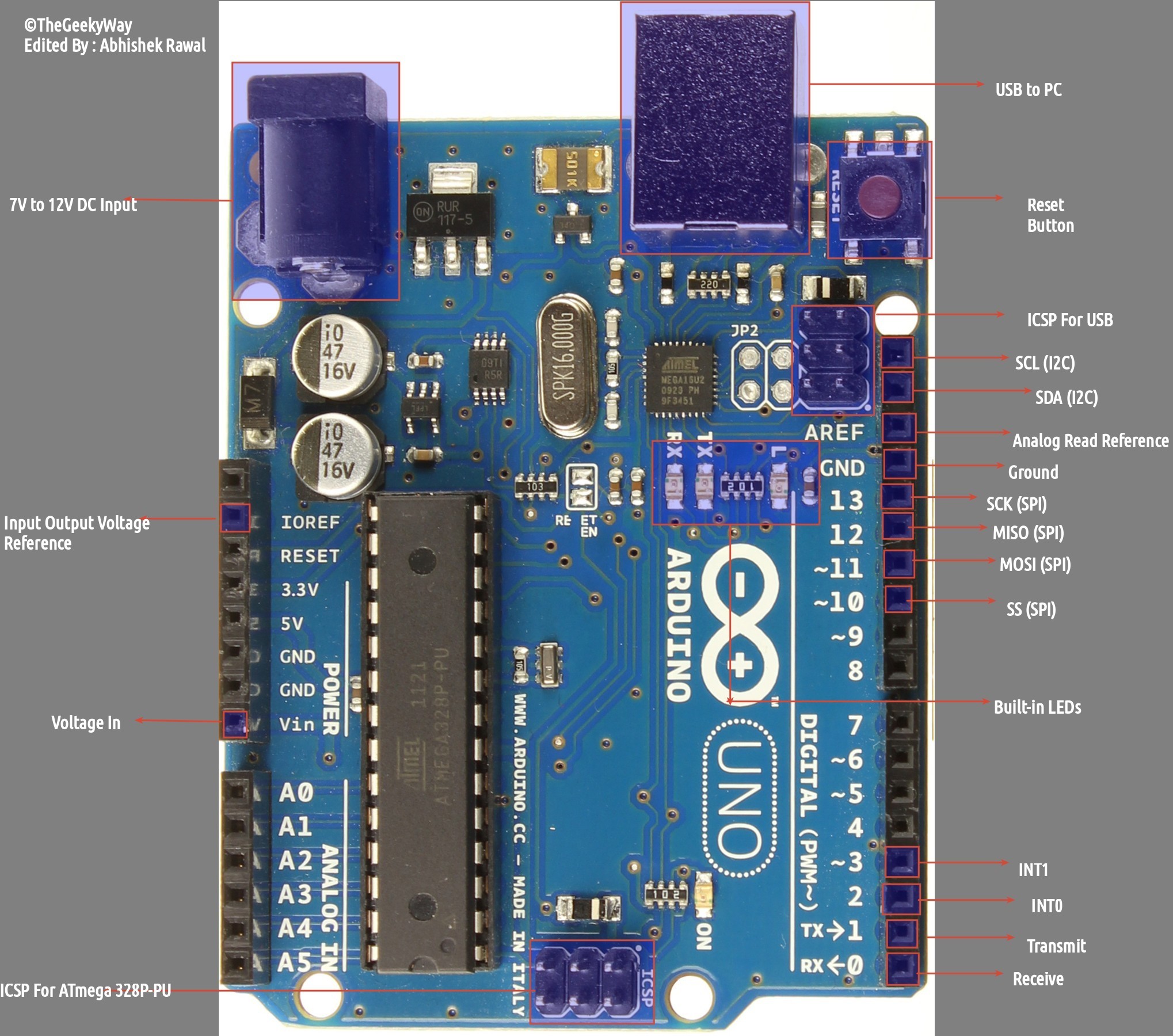
Arduino Uno's Pin labelling is displayed in image below, and detailed function of each & every pin is mentioned below the image.

Arduino Pin Functions

PIN FUNCTIONS :

USB To PC : It is used to communicate Arduino via Universal Serial Bus to PC for programming/sending data to Arduino serially.

7V to 12V DC Input …


Continue reading

Install Alternative To Arduino IDE

Posted on Wed 11 December 2013 in How To DIY • Tagged with Arduino, IDE, Linux

Arduino, the world famous opensource electronic prototyping platform is undoubtedly the best series of boards used by makers & Engineers. However, the official Arduino IDE which is used to load the arduino sketch is bit clumsy. I never really liked Arduino IDE, so after searching a lot, I came to know …


Continue reading

How To Install Sublime Text Editor In GNU/Linux ?

Posted on Wed 11 December 2013 in How To DIY, Linux • Tagged with Linux, Text Editor

Sublime Text Editor is one of the best cross-platform editor out there for editing source code. It is capable of syntax highlighting for wide range of file extensions like Python, C, C++, Java, HTML, JS, PHP, LaTeX & even Arduino. Sublime Text Editor is not opensource & not an free editor, but …


Continue reading

How To Install Any Application From Source Code ?

Posted on Tue 10 December 2013 in How To DIY, Linux • Tagged with Linux, Open Source, Source Code

Most of the applications are available in the official repository of your Linux distribution. However, there are times when some of the applications you're installing haven't been updated in the repository & you want to get the latest version of that application.Learning how to …


Continue reading